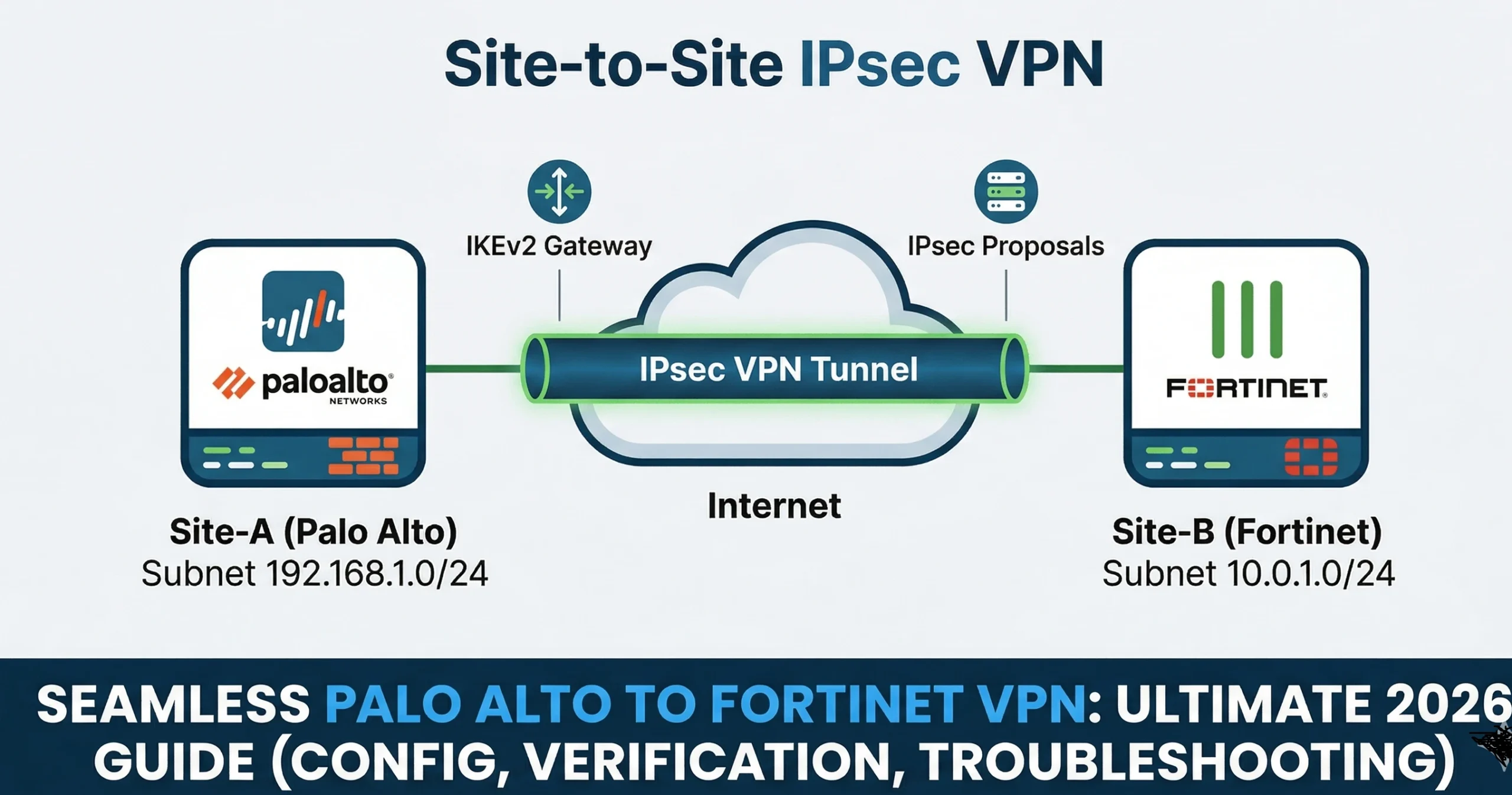
Palo Alto ↔ Fortinet (FortiGate) Site‑to‑Site IPsec VPN — Complete Guide (Config, Troubleshooting, Verification) 2026
Author: Pahalawan Singh | Last updated: 17 Mar 2026 | Estimated read: 15–20 minutes
Overview
This field‑tested Seamless Palo Alto to Fortinet IPsec VPN: The Ultimate 2026 Success Guide — Complete Guide lab guide shows how to configure a site‑to‑site IPsec VPN between a Palo Alto Networks firewall (PAN‑OS) and a Fortinet FortiGate. It includes clean CLI/GUI steps, recommended crypto profiles (IKEv2), routing and security policies, plus deep troubleshooting and verification checklists. The guide is optimized for SEO and intended to be posted as a blog post — you can paste in your own lab screenshots in the marked placeholders. Seamless Palo Alto to Fortinet IPsec VPN: The Ultimate 2026 Success Guide
Table of Contents
• Lab Topology & Parameters
• Prerequisites
• Part‑A: FortiGate Configuration (Route‑Based IPsec, IKEv2)
• Part‑B: Palo Alto Configuration (IKEv2, Tunnel Interface)
• Routing & Security Policies (Both Sides)
• Bring‑Up & Basic Verification
• Deep Troubleshooting (Both Sides)
• Hardening Tips & Best Practices
• FAQ
• References
Lab Topology & Parameters
Replace the example IPs/subnets with your own. Keep both sides symmetric.
Parameter | FortiGate (Left) | Palo Alto (Right) |
WAN Public IP | FG_WAN = 198.51.100.10 | PA_WAN = 203.0.113.10 |
Inside Subnet | 10.10.10.0/24 (LAN) | 10.20.20.0/24 (LAN) |
Tunnel Type | Route‑based (phase1-interface/phase2-interface) | Route‑based (tunnel.x) |
IKE Version | IKEv2 | IKEv2 |
Phase1 (P1) | AES‑256 / SHA‑256 / DH14, Lifetime 8h | AES‑256 / SHA‑256 / DH14, Lifetime 8h |
Phase2 (P2) | AES‑256 / SHA‑256 / PFS group14, Lifetime 1h | AES‑256 / SHA‑256 / PFS group14, Lifetime 1h |
Auth | Pre‑Shared Key | Pre‑Shared Key |
Prerequisites
FortiGate: Admin access (CLI/GUI), 3 or fewer physical interfaces if using permanent evaluation, and 1 vCPU / ≤2GB RAM if in eval. Ensure WAN reachability for the remote peer.
Palo Alto: Admin access, a tunnel interface (will be created), a virtual router, and proper zones. WAN interface must be routable to the FortiGate peer.
Open UDP 500 and 4500 between peers; allow ICMP for testing. Time must be in sync (NTP recommended).
Part‑A: FortiGate Configuration (CLI, IKEv2, Route‑Based)
Create Phase1‑Interface (IKEv2) – Seamless Palo Alto to Fortinet IPsec VPN: The Ultimate 2026 Success Guide
CLI:
config vpn ipsec phase1-interface
edit “FG-PA”
set interface “port1” # WAN interface
set ike-version 2
set peertype any
set remote-gw 203.0.113.10 # Palo Alto WAN
set psksecret <STRONG_PSK>
set proposal aes256-sha256
set dhgrp 19
set nattraversal enable #if you think that in between firewall there is a NAT device
next
end

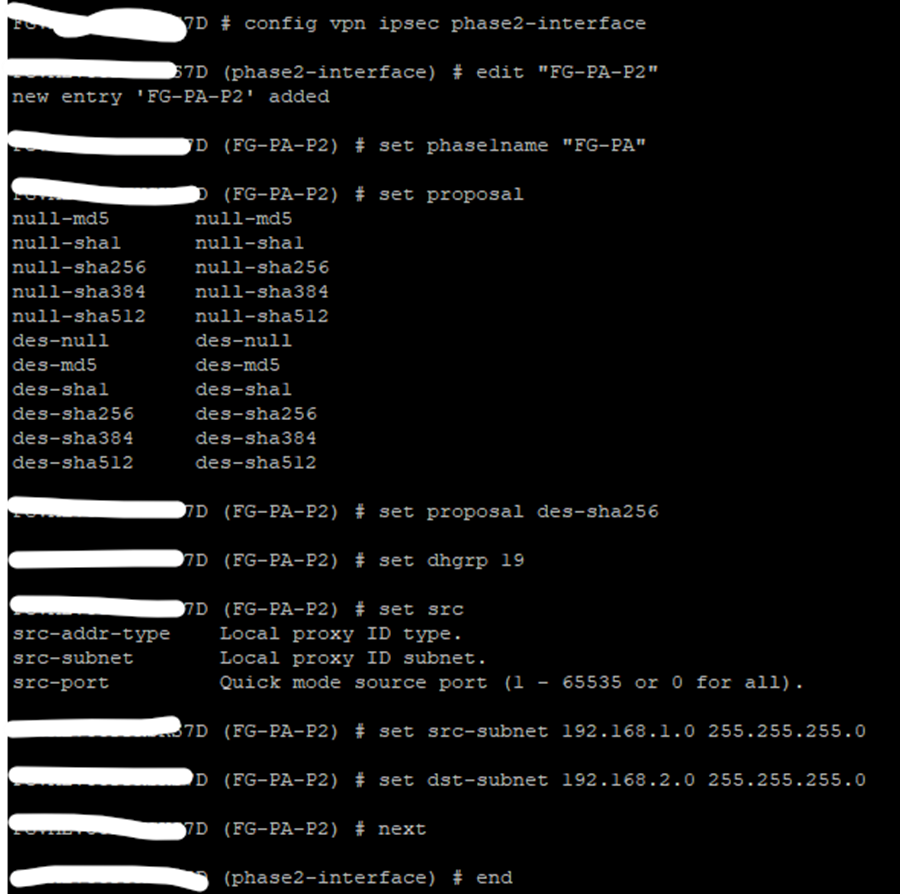
Note: – Please use Strong Encryption and authentication I used DES due to License Limitations. – Seamless Palo Alto to Fortinet IPsec VPN: The Ultimate 2026 Success Guide
Create Phase2‑Interface (Selectors)
CLI:
config vpn ipsec phase2-interface
edit “FG-PA-P2”
set phase1name “FG-PA”
set proposal aes256-sha256
set dhgrp 19
set src-subnet 10.10.10.0 255.255.255.0
set dst-subnet 10.20.20.0 255.255.255.0
next
end
Static Route via Tunnel (Route‑Based)
Seamless Palo Alto to Fortinet IPsec VPN: The Ultimate 2026 Success Guide
CLI:
config router static
edit 1
set dst 10.20.20.0 255.255.255.0
set device “FG-PA” # tunnel interface name == phase1 name
next
end

Allow Policies (LAN→VPN and VPN→LAN)
CLI:
config firewall policy
edit 1
set name “LAN-to-PA”
set srcintf “port2”
set dstintf “FG-PA”
set srcaddr “all”
set dstaddr “all”
set action accept
set schedule always
set service ALL
next

edit 2
set name “PA-to-LAN”
set srcintf “FG-PA”
set dstintf “port2”
set srcaddr “all”
set dstaddr “all”
set action accept
set schedule always
set service ALL
next
end
end

Note: – Click For Detail Configuration of Palo Alto IPSec with Screen Shot.
Part‑B: Palo Alto Configuration (GUI or CLI)
Create IKE Crypto (Phase‑1) Seamless Palo Alto to Fortinet IPsec VPN: The Ultimate 2026 Success Guide
Network > Network Profiles > IKE Crypto → Add → Encryption AES‑256, Authentication SHA‑256, DH Group 14, Lifetime 8h. (Name: IKE-FG).
Create IPSec Crypto (Phase‑2)
Network > Network Profiles > IPSec Crypto → Add → ESP AES‑256, Authentication SHA‑256, PFS Group 14, Lifetime 1h. (Name: IPSEC-FG).
Create Tunnel Interface
Network > Interfaces > Tunnel → Add (tunnel.10). Assign Virtual Router (e.g., default) and Zone (e.g., VPN). Optionally set an IP (for dynamic routing later).
Create IKE Gateway
Network > IKE Gateways → Add. Version: IKEv2. Interface: WAN (e.g., ethernet1/1). Peer Address: 198.51.100.10 (FG WAN). Authentication: Pre‑Shared Key . Attach IKE-FG profile.
Create IPSec Tunnel
Network > IPSec Tunnels → Add. Tunnel Interface: tunnel.10. IKE Gateway: (above). IPSec Crypto Profile: IPSEC-FG. Proxy IDs: Local 10.20.20.0/24, Remote 10.10.10.0/24.
Routing
Network > Virtual Routers > (your VR) > Static Routes → Add route to 10.10.10.0/24 via tunnel.10.
Security Policies
Policies > Security → Allow zone LAN→VPN and VPN→LAN (App: any, Service: any) for testing; restrict later.
Bring‑Up & Basic Verification
FortiGate: Use “get vpn ipsec tunnel details”, “diagnose vpn ike gateway list”, and “diagnose debug application ike -1” for negotiation logs. “Execute ping ” to test traffic via policy.


Palo Alto: Check Network > IPSec Tunnels (green IKE/IPsec). CLI: “show vpn ike-sa”, “show vpn ipsec-sa”. Use traffic logs to confirm sessions.

Deep Troubleshooting
1) Phase‑1 (IKE) fails: verify matching IKEv2, proposals (AES‑256/SHA‑256/DH14), PSK, and reachability (UDP/500,4500). On FortiGate, check phase1-interface settings; on Palo Alto, confirm IKE Crypto and Gateway binding.
2) Phase‑2 down: ensure proxy IDs/selectors match (local/remote subnets) and P2 proposals align (AES‑256/SHA‑256, PFS group14).
3) Traffic black‑holing: confirm routes sending interesting traffic to the tunnel interface (FG: static route with device = P1 name; PA: static route via tunnel.x) and allow policies in correct zones.
4) NAT traversal: enable NAT‑T if there is NAT in path. Ensure no conflicting NAT rule captures VPN traffic on PA.
5) Time sync: mismatched time can break IKE; enable NTP on both.
Useful commands:
FortiGate: diagnose vpn ike log-filter dst-addr4 ; diagnose debug application ike -1; diagnose debug enable; get vpn ipsec tunnel details; get router info routing-table all
Palo Alto: show vpn ike-sa; show vpn ipsec-sa; tail follow yes mp-log ikemgr.log; tail follow yes mp-log ipsec.log; test vpn ike-sa gateway
Hardening Tips & Best Practices
• Prefer IKEv2 with AES‑256/SHA‑256/DH19+.
• Use route‑based VPNs (tunnel interfaces) for scale; keep proxy IDs minimal.
• Add a blackhole route with higher AD for remote subnets to avoid default‑route leaks when tunnel is down.
• Restrict security policies and enable logging; add application/service restrictions later.
• Monitor SAs and set reasonable lifetimes (P1 8h, P2 1h) and DPD/keepalives.
FAQ
Do I need identical proposals?
Yes — Phase‑1 and Phase‑2 proposals must match between peers (algorithms and DH groups).
Policy vs Route‑based?
Use route‑based; it creates a virtual interface and simplifies routing and monitoring.
How to test quickly?
Ping from an inside host across the tunnel and watch IKE/IPsec SAs and traffic logs.
References
• Fortinet FortiOS 7.6.x — Phase‑1/Phase‑2 configuration overview (Administration Guide).
• Fortinet CLI reference — config vpn ipsec phase1-interface / phase2-interface.
• Palo Alto Networks — Configure IPSec VPN Tunnels (Site‑to‑Site).
• Palo Alto Networks KB — CLI to create IKE/IPsec crypto profiles; show vpn ike-sa verification.